Article
How to Use Advanced JQL for Jira Roadmaps and Portfolio Transparency
Automating stakeholder visibility by bridging the gap between engineering execution and strategic intent.

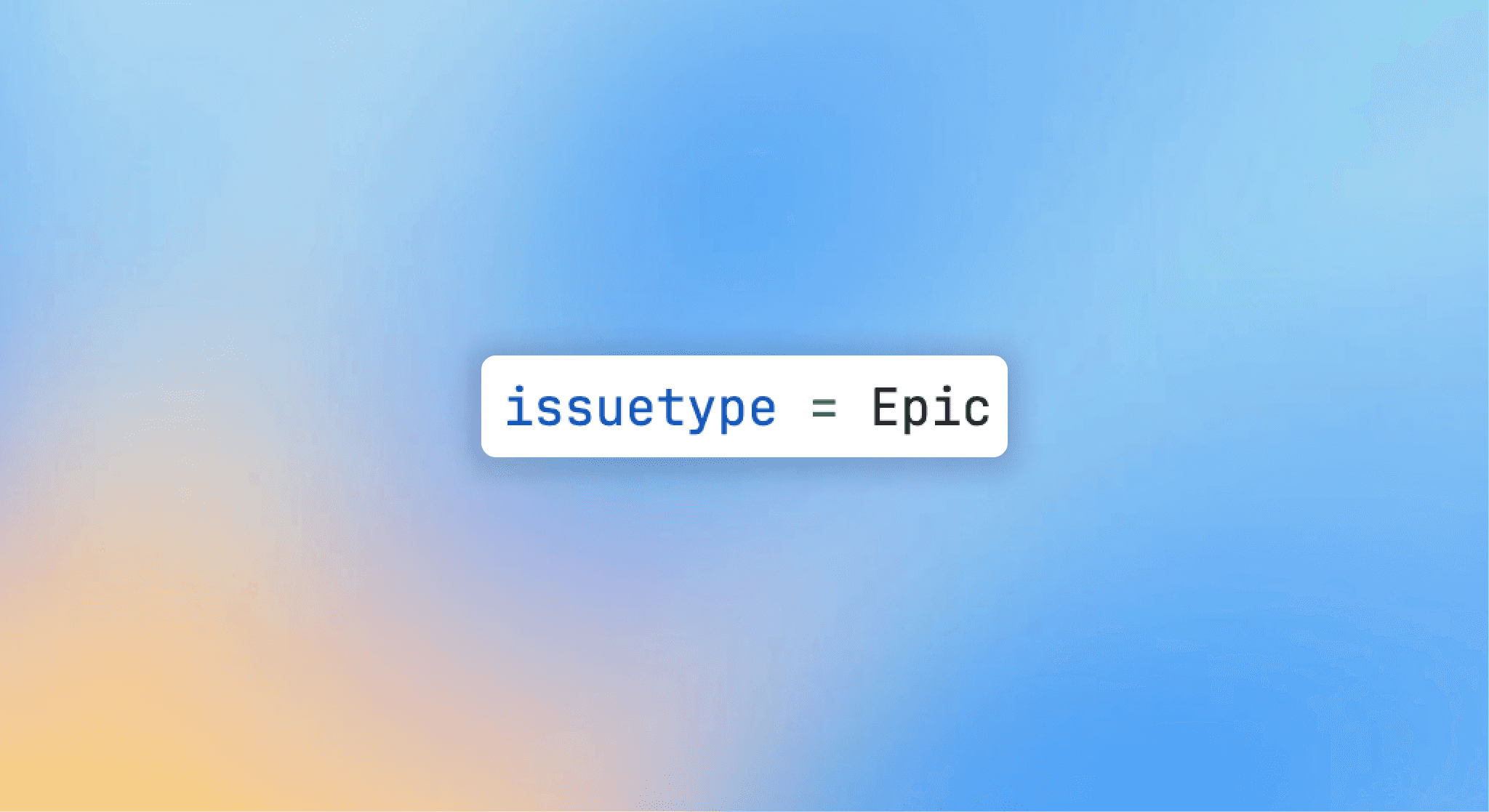
There is a common point of confusion when scaling Jira: the moment a roadmap stops being a helpful visual and starts becoming a full-time administrative burden.
Many PMs find themselves trapped between two extremes.
On one side, you have the "internal reality". The messy, granular Jira projects filled with technical debt, bugs, and internal experiments.
On the other, you have the "stakeholder expectation". A polished, strategic view of what is actually shipping. Most teams try to bridge this gap with manual spreadsheets or completely separate roadmaps in tools like Productboard or Aha, but those methods inevitably fall out of sync.
The solution isn't more manual entry; it’s better smart filtering. By using Jira Query Language (JQL), you can curate a single source of truth that serves different audiences without ever duplicating a ticket.
What is the difference between Timelines and Plans?
In the Atlassian ecosystem, "where" you build your roadmap determines how much control you have. Most teams start with Timelines (formerly Basic Roadmaps), but quickly outgrow them when they need to report across multiple projects or filter out sensitive data.
Think of it like this: Timelines are a window into a single room (one project). Plans (Advanced Roadmaps) are a security camera feed that can pull views from any room in the house, zoom in on specific people, and filter out the background noise.
Feature | Timelines (Basic) | Plans (Advanced) |
Scope | Single Project | Multi-Project / Portfolio |
Data Source | Hard-coded to project | Dynamic JQL Filters |
Hierarchy | Epic > Story | Initiative > Epic > Story |
Environment | Live (Direct edits) | Sandbox (Scenario modeling) |
Best For | Squad-level execution | Executive & External reporting |
How does JQL help?
For a roadmap to be useful, it must be curated. You don't want your Board of Directors or your customers seeing every "Refactor database" task or "Fix CSS bug" ticket. JQL allows you to set rules for what earns a spot on the roadmap.
Instead of pulling in a whole project, you pull in a Filtered View. The most effective way to do this is by using statusCategory. While status might have twenty different workflow steps, statusCategory simplifies them into three buckets: To Do, In Progress, and Done.
Strategic JQL Snippet for Executive Views:
project IN ("Core Product", "Mobile") AND issuetype = Initiative AND statusCategory != Done
This ensures leadership only sees high-level strategic pillars that are currently active, ignoring the hundreds of closed tasks that would otherwise clutter the view.
JQL for Audience Segmentation
The "Need to Know" vs. "Right to See" balance is best managed through specific JQL functions. If you are managing a portfolio, you need to navigate the hierarchy efficiently.
To show progress on a specific pillar: Use
parent = DEV-261. This pulls everything linked to that initiative across any project.To keep it fresh: Use relative dates. A query like
resolutionDate >= startOfDay("-14")ensures your "Recently Released" section actually stays recent without you having to touch it.To isolate the "Big Rocks": Use
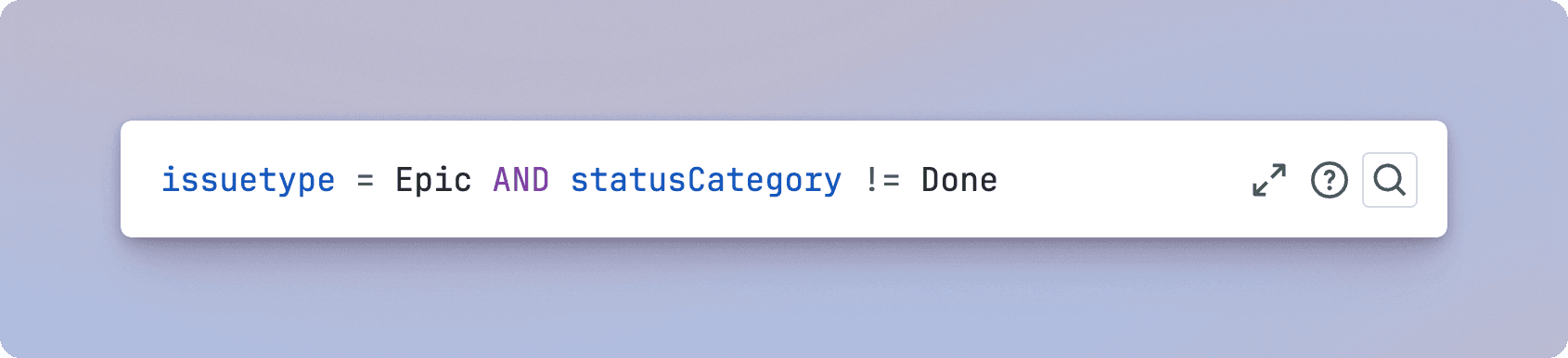
issuetype = Epic AND statusCategory != Done. This is the standard view for monthly stakeholder syncs, focusing only on high-level deliverables while ignoring the hundreds of sub-tasks underneath.To find blocked work: Use
issuelinks IS NOT EMPTY AND status = "Blocked". This surfaces items that have an active link to another ticket and are currently stalled, which is essential for "Risk" views on a roadmap.To filter by release milestone: Use
fixVersion = "v2.0" OR fixVersion in unreleasedVersions(). This ensures your roadmap is always looking forward at what is scheduled to ship, rather than looking backward at what is already out.To manage "Public" vs "Internal" work: Use
labels = "public-facing" AND statusCategory in ("In Progress", "Done"). By using a simple label, you can create a high-trust roadmap that only shows items your team has explicitly marked for external eyes.To track specific team commitments: Use
project in (DEV, DESIGN) AND "Target end" <= endOfMonth("+1"). This creates a "Next 30 Days" view that shows exactly what the engineering and design teams have committed to finishing by the end of next month.To identify stale discovery items: Use
status = "Backlog" AND created < startOfYear(). This helps you prune the roadmap of old ideas that haven't been touched in the current calendar year.
Moving from Internal Logic to External Polish
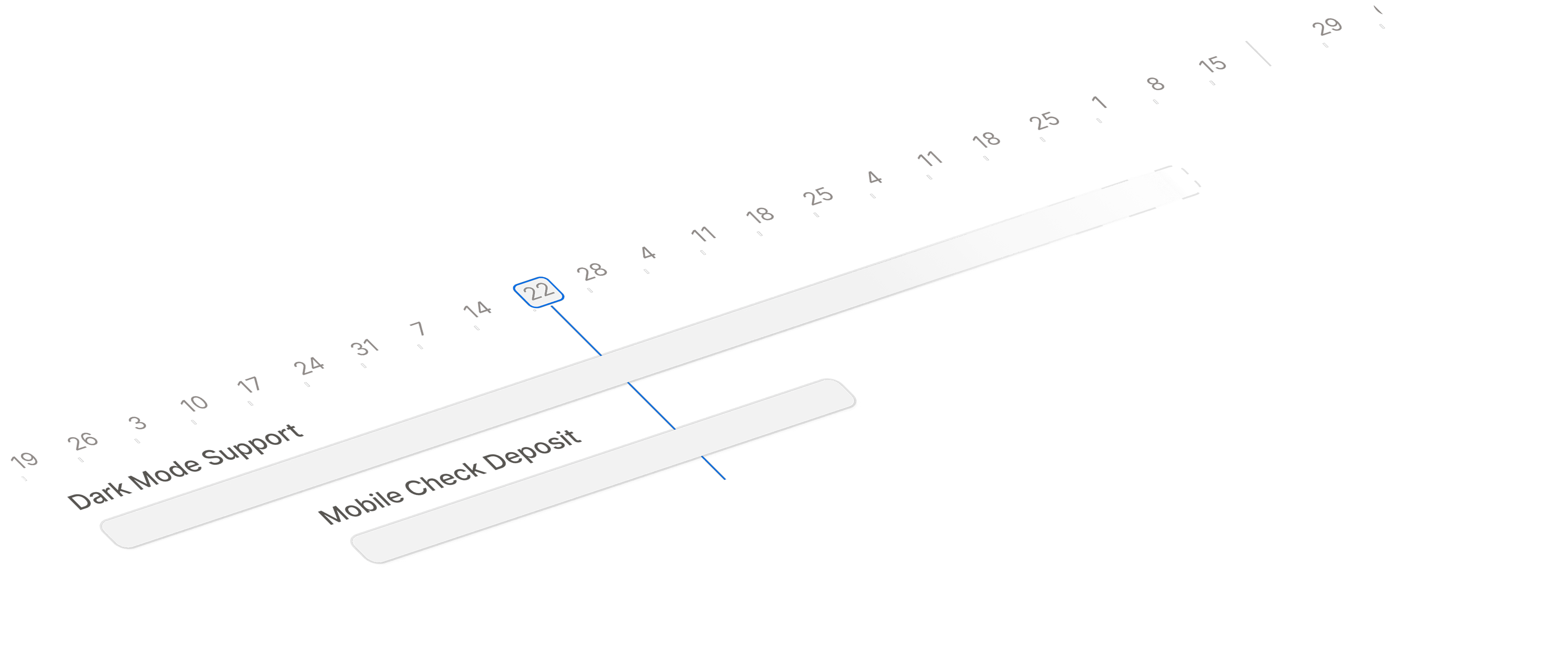
While JQL and Jira Plans solve the problem of internal data curation, they often fail at the final mile: presentation. A Jira Plan, no matter how well-filtered, is still a technical interface. It’s built for builders, not for customers or sales teams.
This is where Released fits into the workflow. Once you have used JQL to define the "what" and "when" within Jira, Released acts as the publishing layer.
Instead of sending a stakeholder a link to a complex Jira board, you use Released to:
Publish Jira work items: It uses your curated JQL filters to pull in the right tickets.
Translate "Dev-speak" to "Value-speak": It turns a Jira ticket title like
[TECH-402] Implement OAuth2.0 Scopesinto a polished release note likeEnhanced Security: Granular User Permissions.Maintain Brand Consistency: It hosts these updates on a public-facing roadmap or changelog that looks like your brand, not like a project management tool.
Friends Don't Let Friends Duplicate Roadmaps
Don't duplicate the source of truth to manage stakeholders; build better JQL filters in a single source of truth. This keeps your engineering reality and your public promises in sync, while tools like Released handle the aesthetic translation for the outside world.
Article
How to Use Advanced JQL for Jira Roadmaps and Portfolio Transparency
Automating stakeholder visibility by bridging the gap between engineering execution and strategic intent.
There is a common point of confusion when scaling Jira: the moment a roadmap stops being a helpful visual and starts becoming a full-time administrative burden.
Many PMs find themselves trapped between two extremes.
On one side, you have the "internal reality". The messy, granular Jira projects filled with technical debt, bugs, and internal experiments.
On the other, you have the "stakeholder expectation". A polished, strategic view of what is actually shipping. Most teams try to bridge this gap with manual spreadsheets or completely separate roadmaps in tools like Productboard or Aha, but those methods inevitably fall out of sync.
The solution isn't more manual entry; it’s better smart filtering. By using Jira Query Language (JQL), you can curate a single source of truth that serves different audiences without ever duplicating a ticket.
What is the difference between Timelines and Plans?
In the Atlassian ecosystem, "where" you build your roadmap determines how much control you have. Most teams start with Timelines (formerly Basic Roadmaps), but quickly outgrow them when they need to report across multiple projects or filter out sensitive data.
Think of it like this: Timelines are a window into a single room (one project). Plans (Advanced Roadmaps) are a security camera feed that can pull views from any room in the house, zoom in on specific people, and filter out the background noise.
Feature | Timelines (Basic) | Plans (Advanced) |
Scope | Single Project | Multi-Project / Portfolio |
Data Source | Hard-coded to project | Dynamic JQL Filters |
Hierarchy | Epic > Story | Initiative > Epic > Story |
Environment | Live (Direct edits) | Sandbox (Scenario modeling) |
Best For | Squad-level execution | Executive & External reporting |
How does JQL help?
For a roadmap to be useful, it must be curated. You don't want your Board of Directors or your customers seeing every "Refactor database" task or "Fix CSS bug" ticket. JQL allows you to set rules for what earns a spot on the roadmap.
Instead of pulling in a whole project, you pull in a Filtered View. The most effective way to do this is by using statusCategory. While status might have twenty different workflow steps, statusCategory simplifies them into three buckets: To Do, In Progress, and Done.
Strategic JQL Snippet for Executive Views:
project IN ("Core Product", "Mobile") AND issuetype = Initiative AND statusCategory != Done
This ensures leadership only sees high-level strategic pillars that are currently active, ignoring the hundreds of closed tasks that would otherwise clutter the view.
JQL for Audience Segmentation
The "Need to Know" vs. "Right to See" balance is best managed through specific JQL functions. If you are managing a portfolio, you need to navigate the hierarchy efficiently.
To show progress on a specific pillar: Use
parent = DEV-261. This pulls everything linked to that initiative across any project.To keep it fresh: Use relative dates. A query like
resolutionDate >= startOfDay("-14")ensures your "Recently Released" section actually stays recent without you having to touch it.To isolate the "Big Rocks": Use
issuetype = Epic AND statusCategory != Done. This is the standard view for monthly stakeholder syncs, focusing only on high-level deliverables while ignoring the hundreds of sub-tasks underneath.To find blocked work: Use
issuelinks IS NOT EMPTY AND status = "Blocked". This surfaces items that have an active link to another ticket and are currently stalled, which is essential for "Risk" views on a roadmap.To filter by release milestone: Use
fixVersion = "v2.0" OR fixVersion in unreleasedVersions(). This ensures your roadmap is always looking forward at what is scheduled to ship, rather than looking backward at what is already out.To manage "Public" vs "Internal" work: Use
labels = "public-facing" AND statusCategory in ("In Progress", "Done"). By using a simple label, you can create a high-trust roadmap that only shows items your team has explicitly marked for external eyes.To track specific team commitments: Use
project in (DEV, DESIGN) AND "Target end" <= endOfMonth("+1"). This creates a "Next 30 Days" view that shows exactly what the engineering and design teams have committed to finishing by the end of next month.To identify stale discovery items: Use
status = "Backlog" AND created < startOfYear(). This helps you prune the roadmap of old ideas that haven't been touched in the current calendar year.
Moving from Internal Logic to External Polish
While JQL and Jira Plans solve the problem of internal data curation, they often fail at the final mile: presentation. A Jira Plan, no matter how well-filtered, is still a technical interface. It’s built for builders, not for customers or sales teams.
This is where Released fits into the workflow. Once you have used JQL to define the "what" and "when" within Jira, Released acts as the publishing layer.
Instead of sending a stakeholder a link to a complex Jira board, you use Released to:
Publish Jira work items: It uses your curated JQL filters to pull in the right tickets.
Translate "Dev-speak" to "Value-speak": It turns a Jira ticket title like
[TECH-402] Implement OAuth2.0 Scopesinto a polished release note likeEnhanced Security: Granular User Permissions.Maintain Brand Consistency: It hosts these updates on a public-facing roadmap or changelog that looks like your brand, not like a project management tool.
Friends Don't Let Friends Duplicate Roadmaps
Don't duplicate the source of truth to manage stakeholders; build better JQL filters in a single source of truth. This keeps your engineering reality and your public promises in sync, while tools like Released handle the aesthetic translation for the outside world.
Article
How to Use Advanced JQL for Jira Roadmaps and Portfolio Transparency
Automating stakeholder visibility by bridging the gap between engineering execution and strategic intent.
There is a common point of confusion when scaling Jira: the moment a roadmap stops being a helpful visual and starts becoming a full-time administrative burden.
Many PMs find themselves trapped between two extremes.
On one side, you have the "internal reality". The messy, granular Jira projects filled with technical debt, bugs, and internal experiments.
On the other, you have the "stakeholder expectation". A polished, strategic view of what is actually shipping. Most teams try to bridge this gap with manual spreadsheets or completely separate roadmaps in tools like Productboard or Aha, but those methods inevitably fall out of sync.
The solution isn't more manual entry; it’s better smart filtering. By using Jira Query Language (JQL), you can curate a single source of truth that serves different audiences without ever duplicating a ticket.
What is the difference between Timelines and Plans?
In the Atlassian ecosystem, "where" you build your roadmap determines how much control you have. Most teams start with Timelines (formerly Basic Roadmaps), but quickly outgrow them when they need to report across multiple projects or filter out sensitive data.
Think of it like this: Timelines are a window into a single room (one project). Plans (Advanced Roadmaps) are a security camera feed that can pull views from any room in the house, zoom in on specific people, and filter out the background noise.
Feature | Timelines (Basic) | Plans (Advanced) |
Scope | Single Project | Multi-Project / Portfolio |
Data Source | Hard-coded to project | Dynamic JQL Filters |
Hierarchy | Epic > Story | Initiative > Epic > Story |
Environment | Live (Direct edits) | Sandbox (Scenario modeling) |
Best For | Squad-level execution | Executive & External reporting |
How does JQL help?
For a roadmap to be useful, it must be curated. You don't want your Board of Directors or your customers seeing every "Refactor database" task or "Fix CSS bug" ticket. JQL allows you to set rules for what earns a spot on the roadmap.
Instead of pulling in a whole project, you pull in a Filtered View. The most effective way to do this is by using statusCategory. While status might have twenty different workflow steps, statusCategory simplifies them into three buckets: To Do, In Progress, and Done.
Strategic JQL Snippet for Executive Views:
project IN ("Core Product", "Mobile") AND issuetype = Initiative AND statusCategory != Done
This ensures leadership only sees high-level strategic pillars that are currently active, ignoring the hundreds of closed tasks that would otherwise clutter the view.
JQL for Audience Segmentation
The "Need to Know" vs. "Right to See" balance is best managed through specific JQL functions. If you are managing a portfolio, you need to navigate the hierarchy efficiently.
To show progress on a specific pillar: Use
parent = DEV-261. This pulls everything linked to that initiative across any project.To keep it fresh: Use relative dates. A query like
resolutionDate >= startOfDay("-14")ensures your "Recently Released" section actually stays recent without you having to touch it.To isolate the "Big Rocks": Use
issuetype = Epic AND statusCategory != Done. This is the standard view for monthly stakeholder syncs, focusing only on high-level deliverables while ignoring the hundreds of sub-tasks underneath.To find blocked work: Use
issuelinks IS NOT EMPTY AND status = "Blocked". This surfaces items that have an active link to another ticket and are currently stalled, which is essential for "Risk" views on a roadmap.To filter by release milestone: Use
fixVersion = "v2.0" OR fixVersion in unreleasedVersions(). This ensures your roadmap is always looking forward at what is scheduled to ship, rather than looking backward at what is already out.To manage "Public" vs "Internal" work: Use
labels = "public-facing" AND statusCategory in ("In Progress", "Done"). By using a simple label, you can create a high-trust roadmap that only shows items your team has explicitly marked for external eyes.To track specific team commitments: Use
project in (DEV, DESIGN) AND "Target end" <= endOfMonth("+1"). This creates a "Next 30 Days" view that shows exactly what the engineering and design teams have committed to finishing by the end of next month.To identify stale discovery items: Use
status = "Backlog" AND created < startOfYear(). This helps you prune the roadmap of old ideas that haven't been touched in the current calendar year.
Moving from Internal Logic to External Polish
While JQL and Jira Plans solve the problem of internal data curation, they often fail at the final mile: presentation. A Jira Plan, no matter how well-filtered, is still a technical interface. It’s built for builders, not for customers or sales teams.
This is where Released fits into the workflow. Once you have used JQL to define the "what" and "when" within Jira, Released acts as the publishing layer.
Instead of sending a stakeholder a link to a complex Jira board, you use Released to:
Publish Jira work items: It uses your curated JQL filters to pull in the right tickets.
Translate "Dev-speak" to "Value-speak": It turns a Jira ticket title like
[TECH-402] Implement OAuth2.0 Scopesinto a polished release note likeEnhanced Security: Granular User Permissions.Maintain Brand Consistency: It hosts these updates on a public-facing roadmap or changelog that looks like your brand, not like a project management tool.
Friends Don't Let Friends Duplicate Roadmaps
Don't duplicate the source of truth to manage stakeholders; build better JQL filters in a single source of truth. This keeps your engineering reality and your public promises in sync, while tools like Released handle the aesthetic translation for the outside world.
Use cases
Resources
Backed by


Use cases
Backed by
Use cases
Resources
Backed by