Article
The Definitive Guide to Migrating from Spreadsheets to Jira Product Discovery
And the benefits of doing so


The Definitive Guide to Migrating from Spreadsheets to Jira Product Discovery
For many product teams, spreadsheets are the original discovery tool. They are familiar, endlessly flexible, and quick to adapt when the process is still forming. A new column can be added in seconds. A formula can approximate a score. A shared link can give stakeholders a sense of progress.
But as discovery work matures, spreadsheets begin to show their limits. Versions drift. Context gets lost. Ideas live far away from delivery work. What once felt lightweight slowly becomes fragile.
Migrating from spreadsheets to Jira Product Discovery (JPD) is often the first serious step toward professionalizing product discovery. It is also the moment where many teams hesitate. This guide is designed to remove that hesitation by addressing both the psychological and technical barriers of the move, explaining exactly how the CSV import works, and calling out the limitations that tend to surprise teams later.
What is Jira Product Discovery?

The Jira Product Discovery homepage, which is a key tool for a successful Spreadsheets to Jira Product Discovery migration.
Jira Product Discovery is an Atlassian tool designed for product teams. It is used by over 10,000 customers and is intended to help capture, prioritize, and validate ideas before they are passed to engineering. It serves as a central repository for the "what" and "why" of a product.
Its main purpose is to create one central place for unstructured ideas, user feedback, and feature requests that might otherwise be scattered across spreadsheets, documents, and messaging platforms. Instead of information spread across multiple documents, you get a centralized, strategic overview of the product's direction.
Here's a quick rundown of its core functionalities:
A single source of truth: It provides one organized location to collect all product opportunities, ideas, and insights from across the company.
Data-driven prioritization: It includes tools and custom fields that allow you to score and rank ideas based on potential impact, which can simplify decisions on what to build next.
Dynamic roadmaps: You can build and share custom roadmaps to keep stakeholders informed, removing the need to manually update presentation decks.
Seamless Jira integration: It connects directly with Jira Software. The CPO of Doodle noted this creates a "highly transparent workflow" that moves from an initial idea to a shipped feature
Why a Spreadsheets to Jira Product Discovery migration is worth the effort
Switching tools can be a significant project. However, it is helpful to compare the challenges of spreadsheet-based product management with the capabilities of a dedicated platform. This visual comparison breaks down the key differences.
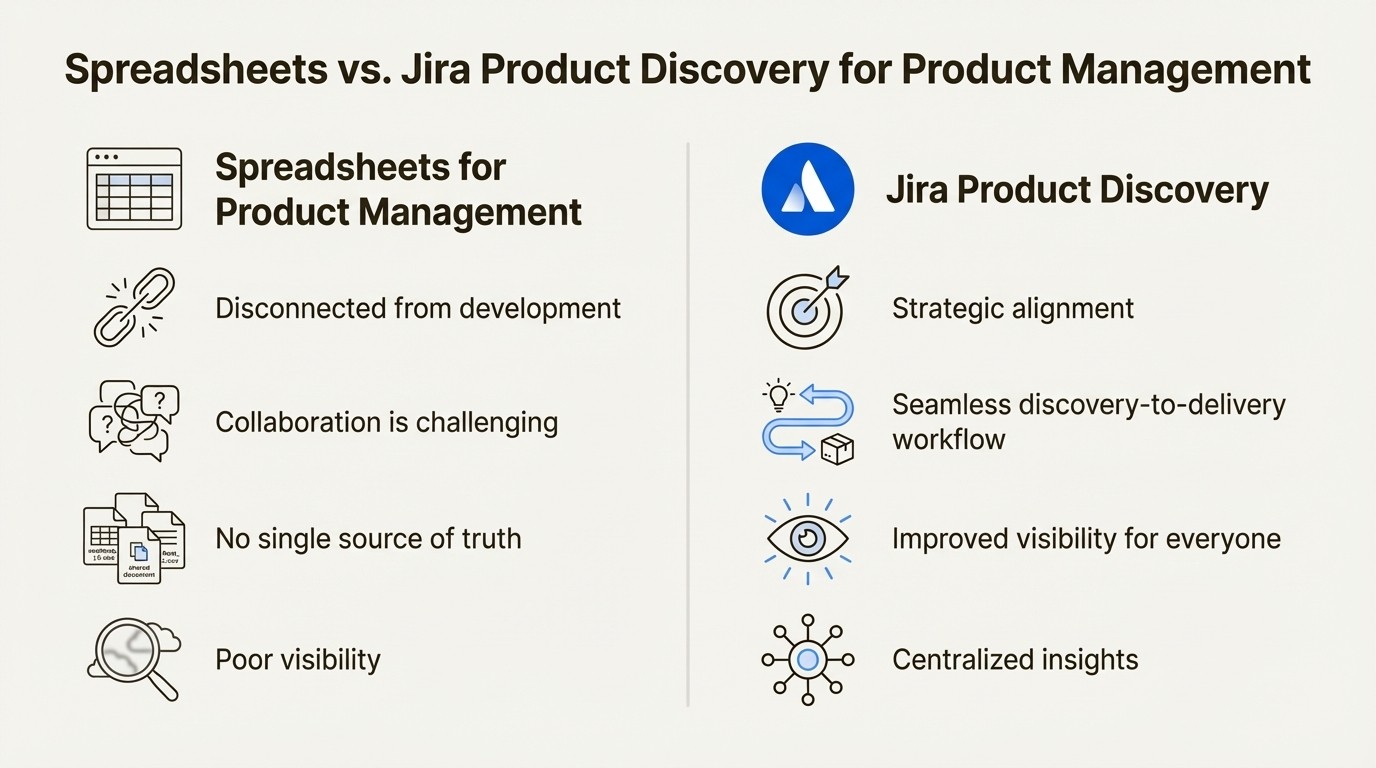
An infographic comparing the limitations of spreadsheets to the benefits of Jira Product Discovery, highlighting why a Spreadsheets to Jira Product Discovery migration is valuable.
The limitations of spreadsheets for product management
Disconnected from development: A spreadsheet roadmap and an engineering team's Jira board exist in separate environments. This requires manual copying and pasting of information, making it difficult to track the true status of an idea once development begins.
Collaboration can be challenging: Gathering feedback or collaborating in a spreadsheet can be clunky, leading to long email chains, conflicting file versions like
product_roadmap_v4_FINAL_use_this_one.xlsx, and no simple way to track conversations.No single source of truth: When different team members have their own versions of the product plan, it can lead to misalignment and decisions based on outdated information.
Poor visibility: It can be difficult to visualize dependencies, track progress toward goals, or share a high-level roadmap that is easy for stakeholders to understand.
Benefits of using Jira Product Discovery
Strategic alignment: JPD helps ensure the ideas you prioritize are connected to the company's broader goals. This helps ensure the engineering backlog is aligned with strategic goals rather than becoming an unstructured list of requests.
A seamless discovery-to-delivery workflow: The built-in integration with Jira Software allows an idea to transition from concept to finished feature within a single, trackable process. This reduces the risk of context being lost between teams.
Improved visibility for everyone: Stakeholders, from leadership to sales, can get a clear, live view of the idea pipeline, understand the reasoning behind prioritization, and see delivery progress without requiring manual status updates.
Centralized insights: It provides a dedicated place to capture customer feedback and link it directly to product ideas. This ensures customer feedback is captured and considered.
Why Leaving Spreadsheets Feels Harder Than It Should
On paper, the decision looks obvious. Spreadsheets are static. Jira Product Discovery is purpose-built. Yet teams frequently delay the switch far longer than expected.
That hesitation is rarely about tooling. It is about control.
Spreadsheets feel safe because they impose almost no structure. Every cell is editable. Every rule is optional. When something does not quite fit, teams bend the sheet instead of changing the process. Over time, that flexibility becomes part of the team’s identity.
A dedicated discovery tool introduces opinionated structure. Fields have types. Relationships are explicit. Ideas are expected to connect to delivery work. That structure can feel like a loss of freedom, especially if the migration is rushed or poorly explained.
The key mindset shift is understanding that structure does not remove flexibility. It moves it to a more durable foundation. Jira Product Discovery still allows iteration, but in a way that scales with team size, stakeholder visibility, and delivery complexity.
Preparing Your Spreadsheet for Migration
Before opening Jira Product Discovery, it is worth spending time cleaning your spreadsheet. This step determines whether the migration feels smooth or frustrating.
Start by identifying which columns truly matter. Spreadsheets often accumulate experimental fields that are no longer used. Migrating everything creates noise inside JPD and makes it harder for the team to adopt the new system.
Next, normalize your data. Jira Product Discovery is stricter than a spreadsheet when it comes to consistency. Cells that mix text and numbers, or columns where values vary wildly in spelling, will cause issues during import.
Dates should be actual date values, not free text. Scores should be numeric. Status-like fields should have a defined set of values.
How the Jira Product Discovery CSV Import Works
Jira Product Discovery includes a CSV import tool designed specifically for onboarding existing discovery data. Understanding how this tool works removes much of the anxiety around migration.
The import process maps each column in your CSV file to a field in JPD. Each field has a defined type, and choosing the correct type is critical for preserving data integrity.
Supported Field Types
During import, you can map columns to the following field types:
Text: For idea titles, descriptions, and qualitative notes.
Number: For scores, effort estimates, or numeric rankings.
Select: For predefined values such as status, category, or confidence.
Date: For deadlines, review dates, or time-based signals.
If a column does not match the field type you choose, Jira Product Discovery will either reject the data or coerce it in unexpected ways. This is why preparation matters.
Step-by-Step: Importing Your Spreadsheet into Jira Product Discovery
Once your CSV file is ready, the actual import is straightforward.
Open your Jira Product Discovery project.
Navigate to the Ideas view.
Click the three-dot menu in the top-right corner and select Import ideas.
Upload your CSV file.
Map each CSV column to an existing field or create a new one.
Review the preview screen carefully.
Start the import.
The preview step is where most mistakes are caught. Take the time to scan multiple rows, especially for select fields and dates. A single mis-mapped column can affect hundreds of ideas.
Atlassian’s official documentation covers this flow in detail and is worth bookmarking:
Jira Product Discovery: Import ideas from CSV
Limitations You Should Know About Up Front
This is the section many teams wish they had read earlier.
The CSV import tool is intentionally limited. It focuses on getting ideas into Jira Product Discovery, not recreating your entire discovery system in one step.
Specifically, you cannot import insights, delivery links, or view configurations via CSV. Views, filters, and scoring setups must be recreated manually after the import. For teams coming from complex spreadsheets with multiple tabs and calculated views, this can feel like a step backward if it is not anticipated.
The upside is that rebuilding views inside JPD often leads to simpler, more intentional setups. But it does require time and planning.
Structuring Discovery Inside JPD
Once your ideas are in Jira Product Discovery, the real work begins. This is where teams often realize that their spreadsheet was doing too much.
Instead of one massive table trying to serve every audience, JPD encourages creating multiple views for different needs. Leadership might care about confidence and impact. Engineering might care about effort and dependencies. Product managers care about all of it, but not at the same time.
This shift is subtle but powerful. Discovery becomes something you actively work in, not a document you periodically clean up.
Turning data into communication
One area where teams sometimes feel friction is sharing. Spreadsheets are easy to share externally, even if that sharing is risky. Jira Product Discovery improves internal collaboration dramatically, but its external sharing capabilities are intentionally constrained.
Stakeholders without Jira access cannot easily explore ideas on their own. Customers certainly cannot.
This is where a product communication suite like Released Software can be useful. It integrates with Jira and Jira Product Discovery to address these communication challenges in several ways:
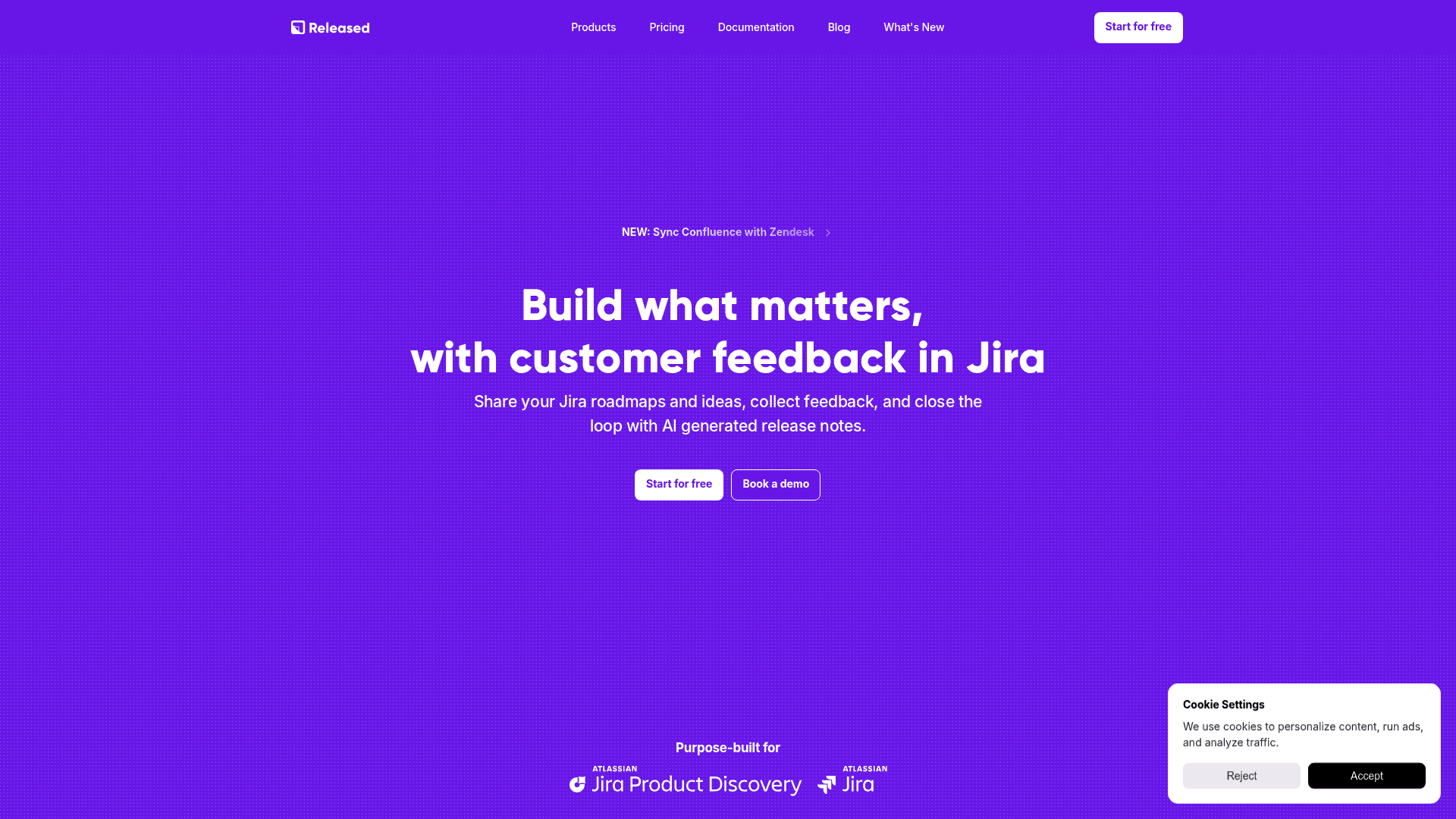
The homepage of Released Software, a tool that helps with communication after a Spreadsheets to Jira Product Discovery migration.
Create tailored, live roadmaps: You can turn your prioritized JPD ideas into shareable roadmaps that are always current. With Released Roadmaps, it's easy to create different board or timeline views for different groups (like an internal view for leadership and a public one for customers) without any manual work.
Close the feedback loop: Released offers a branded Feedback Portal where users can submit their ideas. This feedback can be linked to your backlog and even set up to automatically create new Insights in Jira Product Discovery, making sure customer needs are part of your planning.
Generate release notes with AI: When an idea is developed and shipped, Released's AI writer can automatically draft customer-friendly release notes right from your Jira tickets. This saves product managers time and helps maintain consistency in updates.
Build a central Product Hub: A Product Hub brings everything together. Stakeholders can see roadmaps, read the latest release notes, and submit feedback in one branded, simple portal. You also get full control over who can see it, whether it's public, private, or for internal eyes only.
Making the Migration Stick
The biggest risk in migrating from spreadsheets to Jira Product Discovery is not technical failure. It is partial adoption.
If teams continue to update the spreadsheet “just in case,” JPD becomes a mirror instead of a source of truth. The migration only succeeds when the spreadsheet is retired.
That moment should be intentional. Communicate clearly. Set expectations. Explain what improves for each role. When people understand that structure enables speed and clarity rather than restricting it, adoption follows naturally.
Final Thoughts
Migrating from spreadsheets to Jira Product Discovery is less about moving data and more about changing how discovery work is treated. What was once fragile becomes durable. What was once private becomes shared. What was once static becomes connected to delivery.
Handled thoughtfully, the transition creates momentum rather than friction. And once teams experience discovery that stays aligned with execution, few ever want to go back.
Article
The Definitive Guide to Migrating from Spreadsheets to Jira Product Discovery
And the benefits of doing so
The Definitive Guide to Migrating from Spreadsheets to Jira Product Discovery
For many product teams, spreadsheets are the original discovery tool. They are familiar, endlessly flexible, and quick to adapt when the process is still forming. A new column can be added in seconds. A formula can approximate a score. A shared link can give stakeholders a sense of progress.
But as discovery work matures, spreadsheets begin to show their limits. Versions drift. Context gets lost. Ideas live far away from delivery work. What once felt lightweight slowly becomes fragile.
Migrating from spreadsheets to Jira Product Discovery (JPD) is often the first serious step toward professionalizing product discovery. It is also the moment where many teams hesitate. This guide is designed to remove that hesitation by addressing both the psychological and technical barriers of the move, explaining exactly how the CSV import works, and calling out the limitations that tend to surprise teams later.
What is Jira Product Discovery?
The Jira Product Discovery homepage, which is a key tool for a successful Spreadsheets to Jira Product Discovery migration.
Jira Product Discovery is an Atlassian tool designed for product teams. It is used by over 10,000 customers and is intended to help capture, prioritize, and validate ideas before they are passed to engineering. It serves as a central repository for the "what" and "why" of a product.
Its main purpose is to create one central place for unstructured ideas, user feedback, and feature requests that might otherwise be scattered across spreadsheets, documents, and messaging platforms. Instead of information spread across multiple documents, you get a centralized, strategic overview of the product's direction.
Here's a quick rundown of its core functionalities:
A single source of truth: It provides one organized location to collect all product opportunities, ideas, and insights from across the company.
Data-driven prioritization: It includes tools and custom fields that allow you to score and rank ideas based on potential impact, which can simplify decisions on what to build next.
Dynamic roadmaps: You can build and share custom roadmaps to keep stakeholders informed, removing the need to manually update presentation decks.
Seamless Jira integration: It connects directly with Jira Software. The CPO of Doodle noted this creates a "highly transparent workflow" that moves from an initial idea to a shipped feature
Why a Spreadsheets to Jira Product Discovery migration is worth the effort
Switching tools can be a significant project. However, it is helpful to compare the challenges of spreadsheet-based product management with the capabilities of a dedicated platform. This visual comparison breaks down the key differences.
An infographic comparing the limitations of spreadsheets to the benefits of Jira Product Discovery, highlighting why a Spreadsheets to Jira Product Discovery migration is valuable.
The limitations of spreadsheets for product management
Disconnected from development: A spreadsheet roadmap and an engineering team's Jira board exist in separate environments. This requires manual copying and pasting of information, making it difficult to track the true status of an idea once development begins.
Collaboration can be challenging: Gathering feedback or collaborating in a spreadsheet can be clunky, leading to long email chains, conflicting file versions like
product_roadmap_v4_FINAL_use_this_one.xlsx, and no simple way to track conversations.No single source of truth: When different team members have their own versions of the product plan, it can lead to misalignment and decisions based on outdated information.
Poor visibility: It can be difficult to visualize dependencies, track progress toward goals, or share a high-level roadmap that is easy for stakeholders to understand.
Benefits of using Jira Product Discovery
Strategic alignment: JPD helps ensure the ideas you prioritize are connected to the company's broader goals. This helps ensure the engineering backlog is aligned with strategic goals rather than becoming an unstructured list of requests.
A seamless discovery-to-delivery workflow: The built-in integration with Jira Software allows an idea to transition from concept to finished feature within a single, trackable process. This reduces the risk of context being lost between teams.
Improved visibility for everyone: Stakeholders, from leadership to sales, can get a clear, live view of the idea pipeline, understand the reasoning behind prioritization, and see delivery progress without requiring manual status updates.
Centralized insights: It provides a dedicated place to capture customer feedback and link it directly to product ideas. This ensures customer feedback is captured and considered.
Why Leaving Spreadsheets Feels Harder Than It Should
On paper, the decision looks obvious. Spreadsheets are static. Jira Product Discovery is purpose-built. Yet teams frequently delay the switch far longer than expected.
That hesitation is rarely about tooling. It is about control.
Spreadsheets feel safe because they impose almost no structure. Every cell is editable. Every rule is optional. When something does not quite fit, teams bend the sheet instead of changing the process. Over time, that flexibility becomes part of the team’s identity.
A dedicated discovery tool introduces opinionated structure. Fields have types. Relationships are explicit. Ideas are expected to connect to delivery work. That structure can feel like a loss of freedom, especially if the migration is rushed or poorly explained.
The key mindset shift is understanding that structure does not remove flexibility. It moves it to a more durable foundation. Jira Product Discovery still allows iteration, but in a way that scales with team size, stakeholder visibility, and delivery complexity.
Preparing Your Spreadsheet for Migration
Before opening Jira Product Discovery, it is worth spending time cleaning your spreadsheet. This step determines whether the migration feels smooth or frustrating.
Start by identifying which columns truly matter. Spreadsheets often accumulate experimental fields that are no longer used. Migrating everything creates noise inside JPD and makes it harder for the team to adopt the new system.
Next, normalize your data. Jira Product Discovery is stricter than a spreadsheet when it comes to consistency. Cells that mix text and numbers, or columns where values vary wildly in spelling, will cause issues during import.
Dates should be actual date values, not free text. Scores should be numeric. Status-like fields should have a defined set of values.
How the Jira Product Discovery CSV Import Works
Jira Product Discovery includes a CSV import tool designed specifically for onboarding existing discovery data. Understanding how this tool works removes much of the anxiety around migration.
The import process maps each column in your CSV file to a field in JPD. Each field has a defined type, and choosing the correct type is critical for preserving data integrity.
Supported Field Types
During import, you can map columns to the following field types:
Text: For idea titles, descriptions, and qualitative notes.
Number: For scores, effort estimates, or numeric rankings.
Select: For predefined values such as status, category, or confidence.
Date: For deadlines, review dates, or time-based signals.
If a column does not match the field type you choose, Jira Product Discovery will either reject the data or coerce it in unexpected ways. This is why preparation matters.
Step-by-Step: Importing Your Spreadsheet into Jira Product Discovery
Once your CSV file is ready, the actual import is straightforward.
Open your Jira Product Discovery project.
Navigate to the Ideas view.
Click the three-dot menu in the top-right corner and select Import ideas.
Upload your CSV file.
Map each CSV column to an existing field or create a new one.
Review the preview screen carefully.
Start the import.
The preview step is where most mistakes are caught. Take the time to scan multiple rows, especially for select fields and dates. A single mis-mapped column can affect hundreds of ideas.
Atlassian’s official documentation covers this flow in detail and is worth bookmarking:
Jira Product Discovery: Import ideas from CSV
Limitations You Should Know About Up Front
This is the section many teams wish they had read earlier.
The CSV import tool is intentionally limited. It focuses on getting ideas into Jira Product Discovery, not recreating your entire discovery system in one step.
Specifically, you cannot import insights, delivery links, or view configurations via CSV. Views, filters, and scoring setups must be recreated manually after the import. For teams coming from complex spreadsheets with multiple tabs and calculated views, this can feel like a step backward if it is not anticipated.
The upside is that rebuilding views inside JPD often leads to simpler, more intentional setups. But it does require time and planning.
Structuring Discovery Inside JPD
Once your ideas are in Jira Product Discovery, the real work begins. This is where teams often realize that their spreadsheet was doing too much.
Instead of one massive table trying to serve every audience, JPD encourages creating multiple views for different needs. Leadership might care about confidence and impact. Engineering might care about effort and dependencies. Product managers care about all of it, but not at the same time.
This shift is subtle but powerful. Discovery becomes something you actively work in, not a document you periodically clean up.
Turning data into communication
One area where teams sometimes feel friction is sharing. Spreadsheets are easy to share externally, even if that sharing is risky. Jira Product Discovery improves internal collaboration dramatically, but its external sharing capabilities are intentionally constrained.
Stakeholders without Jira access cannot easily explore ideas on their own. Customers certainly cannot.
This is where a product communication suite like Released Software can be useful. It integrates with Jira and Jira Product Discovery to address these communication challenges in several ways:
The homepage of Released Software, a tool that helps with communication after a Spreadsheets to Jira Product Discovery migration.
Create tailored, live roadmaps: You can turn your prioritized JPD ideas into shareable roadmaps that are always current. With Released Roadmaps, it's easy to create different board or timeline views for different groups (like an internal view for leadership and a public one for customers) without any manual work.
Close the feedback loop: Released offers a branded Feedback Portal where users can submit their ideas. This feedback can be linked to your backlog and even set up to automatically create new Insights in Jira Product Discovery, making sure customer needs are part of your planning.
Generate release notes with AI: When an idea is developed and shipped, Released's AI writer can automatically draft customer-friendly release notes right from your Jira tickets. This saves product managers time and helps maintain consistency in updates.
Build a central Product Hub: A Product Hub brings everything together. Stakeholders can see roadmaps, read the latest release notes, and submit feedback in one branded, simple portal. You also get full control over who can see it, whether it's public, private, or for internal eyes only.
Making the Migration Stick
The biggest risk in migrating from spreadsheets to Jira Product Discovery is not technical failure. It is partial adoption.
If teams continue to update the spreadsheet “just in case,” JPD becomes a mirror instead of a source of truth. The migration only succeeds when the spreadsheet is retired.
That moment should be intentional. Communicate clearly. Set expectations. Explain what improves for each role. When people understand that structure enables speed and clarity rather than restricting it, adoption follows naturally.
Final Thoughts
Migrating from spreadsheets to Jira Product Discovery is less about moving data and more about changing how discovery work is treated. What was once fragile becomes durable. What was once private becomes shared. What was once static becomes connected to delivery.
Handled thoughtfully, the transition creates momentum rather than friction. And once teams experience discovery that stays aligned with execution, few ever want to go back.
Article
The Definitive Guide to Migrating from Spreadsheets to Jira Product Discovery
And the benefits of doing so
The Definitive Guide to Migrating from Spreadsheets to Jira Product Discovery
For many product teams, spreadsheets are the original discovery tool. They are familiar, endlessly flexible, and quick to adapt when the process is still forming. A new column can be added in seconds. A formula can approximate a score. A shared link can give stakeholders a sense of progress.
But as discovery work matures, spreadsheets begin to show their limits. Versions drift. Context gets lost. Ideas live far away from delivery work. What once felt lightweight slowly becomes fragile.
Migrating from spreadsheets to Jira Product Discovery (JPD) is often the first serious step toward professionalizing product discovery. It is also the moment where many teams hesitate. This guide is designed to remove that hesitation by addressing both the psychological and technical barriers of the move, explaining exactly how the CSV import works, and calling out the limitations that tend to surprise teams later.
What is Jira Product Discovery?
The Jira Product Discovery homepage, which is a key tool for a successful Spreadsheets to Jira Product Discovery migration.
Jira Product Discovery is an Atlassian tool designed for product teams. It is used by over 10,000 customers and is intended to help capture, prioritize, and validate ideas before they are passed to engineering. It serves as a central repository for the "what" and "why" of a product.
Its main purpose is to create one central place for unstructured ideas, user feedback, and feature requests that might otherwise be scattered across spreadsheets, documents, and messaging platforms. Instead of information spread across multiple documents, you get a centralized, strategic overview of the product's direction.
Here's a quick rundown of its core functionalities:
A single source of truth: It provides one organized location to collect all product opportunities, ideas, and insights from across the company.
Data-driven prioritization: It includes tools and custom fields that allow you to score and rank ideas based on potential impact, which can simplify decisions on what to build next.
Dynamic roadmaps: You can build and share custom roadmaps to keep stakeholders informed, removing the need to manually update presentation decks.
Seamless Jira integration: It connects directly with Jira Software. The CPO of Doodle noted this creates a "highly transparent workflow" that moves from an initial idea to a shipped feature
Why a Spreadsheets to Jira Product Discovery migration is worth the effort
Switching tools can be a significant project. However, it is helpful to compare the challenges of spreadsheet-based product management with the capabilities of a dedicated platform. This visual comparison breaks down the key differences.
An infographic comparing the limitations of spreadsheets to the benefits of Jira Product Discovery, highlighting why a Spreadsheets to Jira Product Discovery migration is valuable.
The limitations of spreadsheets for product management
Disconnected from development: A spreadsheet roadmap and an engineering team's Jira board exist in separate environments. This requires manual copying and pasting of information, making it difficult to track the true status of an idea once development begins.
Collaboration can be challenging: Gathering feedback or collaborating in a spreadsheet can be clunky, leading to long email chains, conflicting file versions like
product_roadmap_v4_FINAL_use_this_one.xlsx, and no simple way to track conversations.No single source of truth: When different team members have their own versions of the product plan, it can lead to misalignment and decisions based on outdated information.
Poor visibility: It can be difficult to visualize dependencies, track progress toward goals, or share a high-level roadmap that is easy for stakeholders to understand.
Benefits of using Jira Product Discovery
Strategic alignment: JPD helps ensure the ideas you prioritize are connected to the company's broader goals. This helps ensure the engineering backlog is aligned with strategic goals rather than becoming an unstructured list of requests.
A seamless discovery-to-delivery workflow: The built-in integration with Jira Software allows an idea to transition from concept to finished feature within a single, trackable process. This reduces the risk of context being lost between teams.
Improved visibility for everyone: Stakeholders, from leadership to sales, can get a clear, live view of the idea pipeline, understand the reasoning behind prioritization, and see delivery progress without requiring manual status updates.
Centralized insights: It provides a dedicated place to capture customer feedback and link it directly to product ideas. This ensures customer feedback is captured and considered.
Why Leaving Spreadsheets Feels Harder Than It Should
On paper, the decision looks obvious. Spreadsheets are static. Jira Product Discovery is purpose-built. Yet teams frequently delay the switch far longer than expected.
That hesitation is rarely about tooling. It is about control.
Spreadsheets feel safe because they impose almost no structure. Every cell is editable. Every rule is optional. When something does not quite fit, teams bend the sheet instead of changing the process. Over time, that flexibility becomes part of the team’s identity.
A dedicated discovery tool introduces opinionated structure. Fields have types. Relationships are explicit. Ideas are expected to connect to delivery work. That structure can feel like a loss of freedom, especially if the migration is rushed or poorly explained.
The key mindset shift is understanding that structure does not remove flexibility. It moves it to a more durable foundation. Jira Product Discovery still allows iteration, but in a way that scales with team size, stakeholder visibility, and delivery complexity.
Preparing Your Spreadsheet for Migration
Before opening Jira Product Discovery, it is worth spending time cleaning your spreadsheet. This step determines whether the migration feels smooth or frustrating.
Start by identifying which columns truly matter. Spreadsheets often accumulate experimental fields that are no longer used. Migrating everything creates noise inside JPD and makes it harder for the team to adopt the new system.
Next, normalize your data. Jira Product Discovery is stricter than a spreadsheet when it comes to consistency. Cells that mix text and numbers, or columns where values vary wildly in spelling, will cause issues during import.
Dates should be actual date values, not free text. Scores should be numeric. Status-like fields should have a defined set of values.
How the Jira Product Discovery CSV Import Works
Jira Product Discovery includes a CSV import tool designed specifically for onboarding existing discovery data. Understanding how this tool works removes much of the anxiety around migration.
The import process maps each column in your CSV file to a field in JPD. Each field has a defined type, and choosing the correct type is critical for preserving data integrity.
Supported Field Types
During import, you can map columns to the following field types:
Text: For idea titles, descriptions, and qualitative notes.
Number: For scores, effort estimates, or numeric rankings.
Select: For predefined values such as status, category, or confidence.
Date: For deadlines, review dates, or time-based signals.
If a column does not match the field type you choose, Jira Product Discovery will either reject the data or coerce it in unexpected ways. This is why preparation matters.
Step-by-Step: Importing Your Spreadsheet into Jira Product Discovery
Once your CSV file is ready, the actual import is straightforward.
Open your Jira Product Discovery project.
Navigate to the Ideas view.
Click the three-dot menu in the top-right corner and select Import ideas.
Upload your CSV file.
Map each CSV column to an existing field or create a new one.
Review the preview screen carefully.
Start the import.
The preview step is where most mistakes are caught. Take the time to scan multiple rows, especially for select fields and dates. A single mis-mapped column can affect hundreds of ideas.
Atlassian’s official documentation covers this flow in detail and is worth bookmarking:
Jira Product Discovery: Import ideas from CSV
Limitations You Should Know About Up Front
This is the section many teams wish they had read earlier.
The CSV import tool is intentionally limited. It focuses on getting ideas into Jira Product Discovery, not recreating your entire discovery system in one step.
Specifically, you cannot import insights, delivery links, or view configurations via CSV. Views, filters, and scoring setups must be recreated manually after the import. For teams coming from complex spreadsheets with multiple tabs and calculated views, this can feel like a step backward if it is not anticipated.
The upside is that rebuilding views inside JPD often leads to simpler, more intentional setups. But it does require time and planning.
Structuring Discovery Inside JPD
Once your ideas are in Jira Product Discovery, the real work begins. This is where teams often realize that their spreadsheet was doing too much.
Instead of one massive table trying to serve every audience, JPD encourages creating multiple views for different needs. Leadership might care about confidence and impact. Engineering might care about effort and dependencies. Product managers care about all of it, but not at the same time.
This shift is subtle but powerful. Discovery becomes something you actively work in, not a document you periodically clean up.
Turning data into communication
One area where teams sometimes feel friction is sharing. Spreadsheets are easy to share externally, even if that sharing is risky. Jira Product Discovery improves internal collaboration dramatically, but its external sharing capabilities are intentionally constrained.
Stakeholders without Jira access cannot easily explore ideas on their own. Customers certainly cannot.
This is where a product communication suite like Released Software can be useful. It integrates with Jira and Jira Product Discovery to address these communication challenges in several ways:
The homepage of Released Software, a tool that helps with communication after a Spreadsheets to Jira Product Discovery migration.
Create tailored, live roadmaps: You can turn your prioritized JPD ideas into shareable roadmaps that are always current. With Released Roadmaps, it's easy to create different board or timeline views for different groups (like an internal view for leadership and a public one for customers) without any manual work.
Close the feedback loop: Released offers a branded Feedback Portal where users can submit their ideas. This feedback can be linked to your backlog and even set up to automatically create new Insights in Jira Product Discovery, making sure customer needs are part of your planning.
Generate release notes with AI: When an idea is developed and shipped, Released's AI writer can automatically draft customer-friendly release notes right from your Jira tickets. This saves product managers time and helps maintain consistency in updates.
Build a central Product Hub: A Product Hub brings everything together. Stakeholders can see roadmaps, read the latest release notes, and submit feedback in one branded, simple portal. You also get full control over who can see it, whether it's public, private, or for internal eyes only.
Making the Migration Stick
The biggest risk in migrating from spreadsheets to Jira Product Discovery is not technical failure. It is partial adoption.
If teams continue to update the spreadsheet “just in case,” JPD becomes a mirror instead of a source of truth. The migration only succeeds when the spreadsheet is retired.
That moment should be intentional. Communicate clearly. Set expectations. Explain what improves for each role. When people understand that structure enables speed and clarity rather than restricting it, adoption follows naturally.
Final Thoughts
Migrating from spreadsheets to Jira Product Discovery is less about moving data and more about changing how discovery work is treated. What was once fragile becomes durable. What was once private becomes shared. What was once static becomes connected to delivery.
Handled thoughtfully, the transition creates momentum rather than friction. And once teams experience discovery that stays aligned with execution, few ever want to go back.
Use cases
Resources
Backed by


Use cases
Backed by
Use cases
Resources
Backed by