Article
What Jira's AI Agents Actually Do for Product Managers
Four ways PMs can use agents today

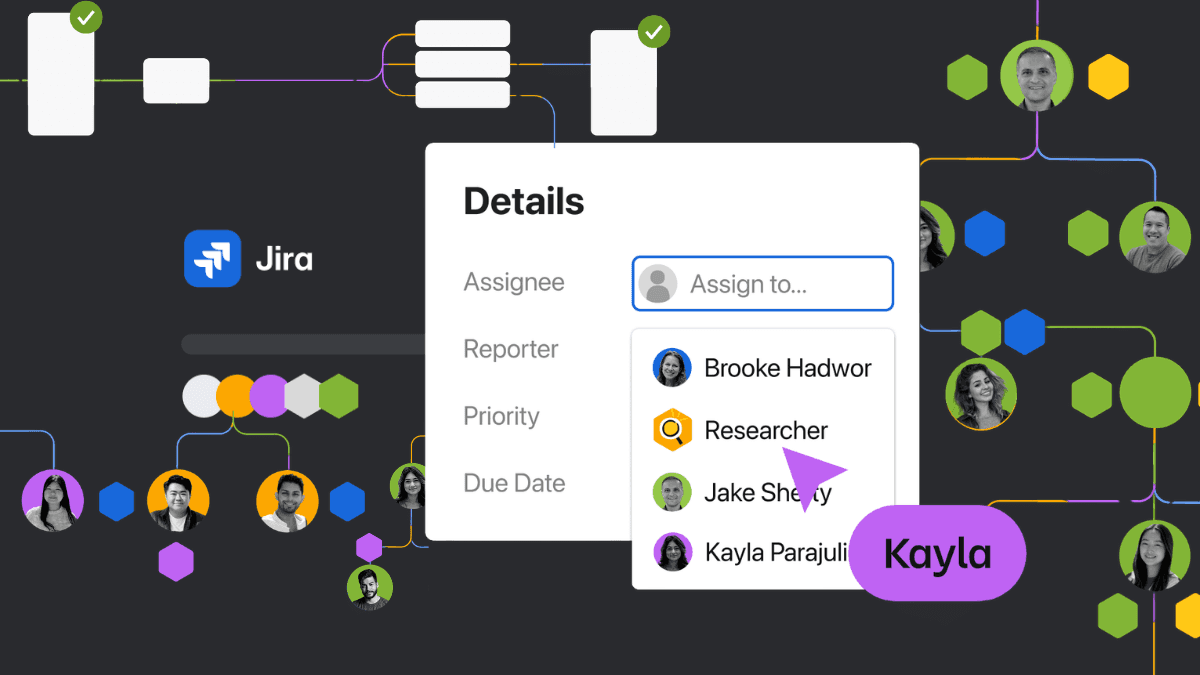
Atlassian shipped agents in Jira in February, and the coverage has been almost entirely about engineering: autonomous code generation, CI/CD pipelines, Rovo Dev writing pull requests while engineers sleep.
If you're a product manager, that's fine, but it skips the part that affects your week.
The Work That Eats Your Week
PMs already know where their hours go. Grooming backlogs that are 60% incomplete tickets. Writing PRDs from scratch when the context already exists in Confluence (or worse, in someone's head). Spending the first half of sprint planning on ticket hygiene instead of trade-offs.
AI agents that write code don't touch any of that. The February announcement is interesting for PMs because agents now live inside your Jira workflow, operating on your data, respecting your permissions, and showing their work in your issue history.
Atlassian opened the beta on February 25 with three capabilities.
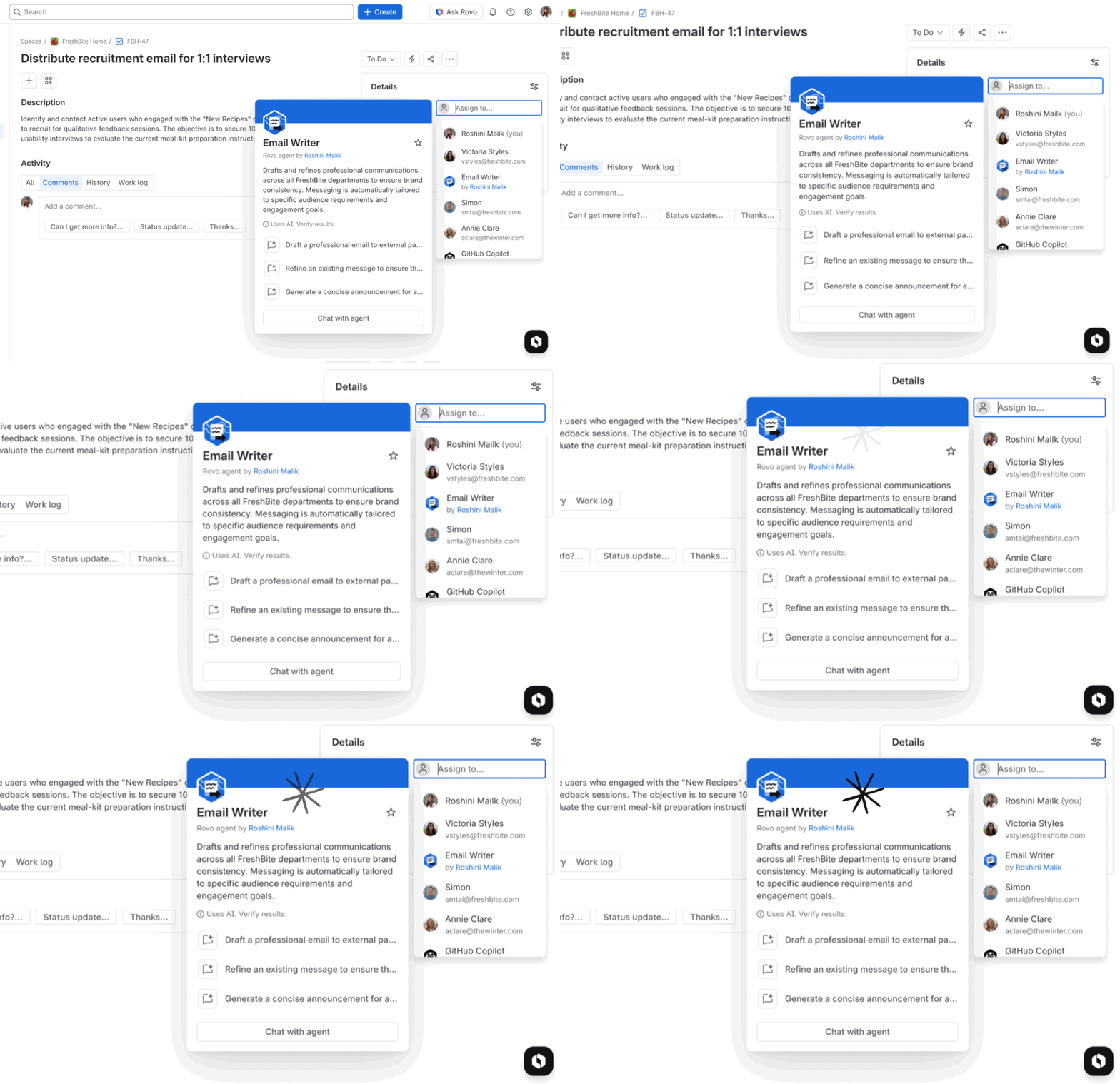
First, agents can be assigned Jira issues the same way you'd assign them to a person. Rovo agents (Atlassian's built-in options and third-party ones) show up on your board, update status, and their work lands in the issue history alongside everything else.
Second, you can @ mention an agent in a comment thread and ask it to refine a description, break down an epic, or check acceptance criteria. The conversation stays in the ticket, visible to the whole team.
Third, and this is the one that matters most for product ops: you can wire an agent into a specific workflow transition. When an issue moves to "Ready for Dev," the agent runs a readiness check, flags missing fields, or pulls context from linked Confluence pages.
They also launched the Rovo MCP Server, which gives MCP-compatible clients (Claude, Cursor, Gemini CLI, and others) a single integration point into Jira and Confluence. Agents can now pull live data from Amplitude, Figma, Intercom, and Box, so context from your customer research and design tools flows into tickets without manual copy-paste.
Where This Changes a PM's Week
Backlog grooming without the 30-minute warmup
The Work Item Organizer agent sorts your backlog by scope, priority, or theme. The Readiness Checker scans issues and flags what's missing: no acceptance criteria, no story points, no linked design spec.
You know the grooming session where the first 30 minutes is everyone discovering that half the tickets aren't ready? An agent can pre-screen the backlog before the meeting starts and surface only the items that need a human call. The meeting still happens, but it's 20 minutes of real decisions instead of 50 minutes of cleanup.
First-draft requirements from context you already have
The Product Requirements Guide agent generates or reviews PRDs using linked Confluence pages, parent epics, and prior sprint outcomes. It produces a structured first draft with sections, acceptance criteria, and edge cases pulled from your own documentation.
One pattern we find compelling: feeding the agent Loom recordings of user interviews (attached to Confluence) and having it extract themes and draft user stories. Most PMs know they should be doing more of that synthesis work. Most PMs don't have the hours. A reviewable first draft in five minutes changes the calculus from "I'll get to it" to "I'll review it after lunch."
Epic decomposition with actual project context
The Work Item Planner takes an epic and decomposes it into smaller issues. You can do this with any LLM, of course. The difference is that this agent operates inside Jira, so it can see your project's existing issues, naming conventions, and estimation patterns. The output fits how your team actually works. It still needs your review, but it kills the blank-page problem of staring at a big initiative and not knowing where to start carving.
Sprint readiness as a workflow gate
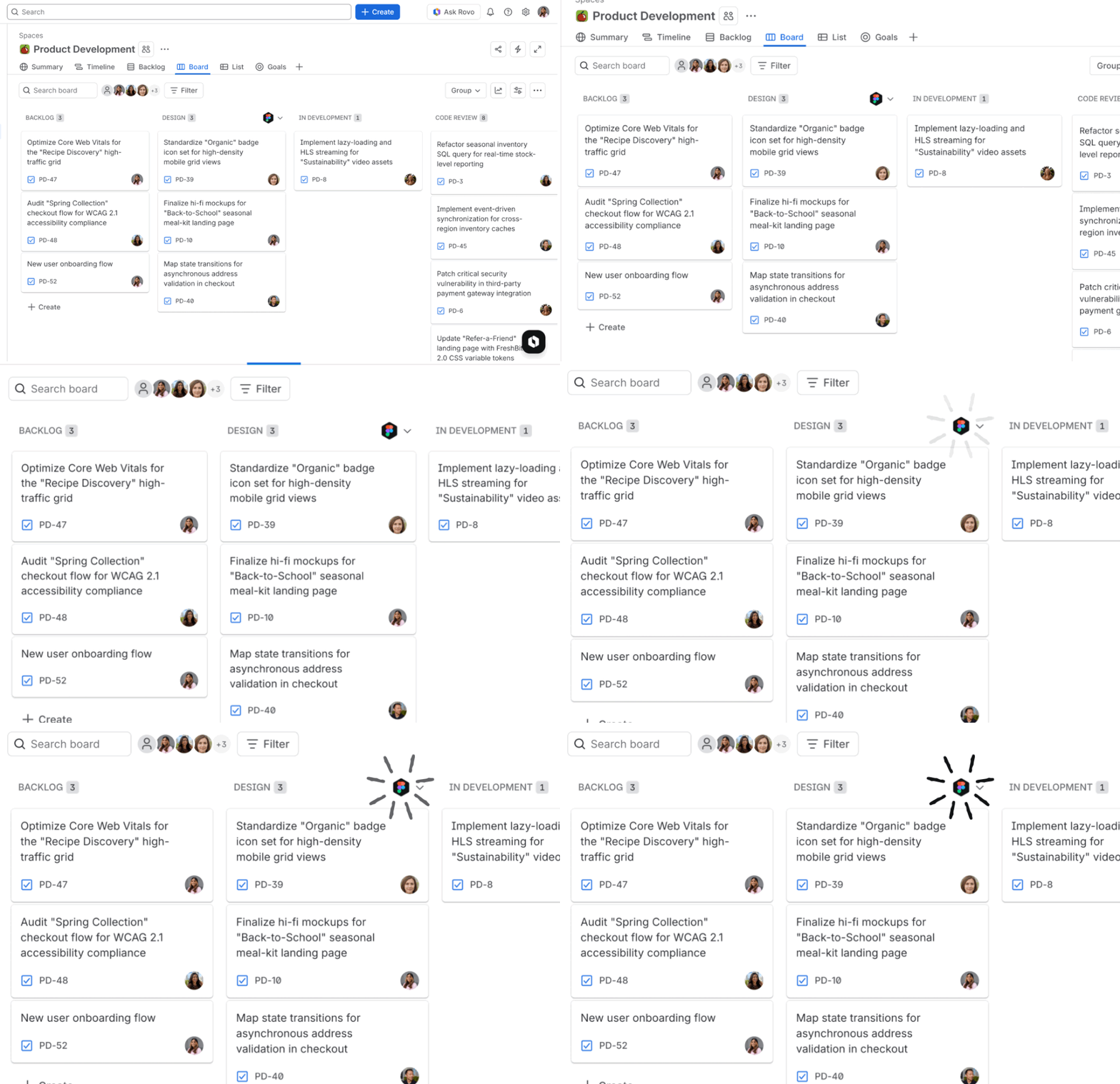
This is where embedding agents in transitions gets interesting. Configure an agent to fire when issues move to "Sprint Candidate." It checks required fields, links to design specs, dependency flags, and sizing. If something's missing, the issue bounces back with a comment explaining what's needed. Your sprint planning meeting can skip the hygiene and start with sequencing.
The Permission Model Matters More Than the Features
Most coverage has treated governance as a footnote. For PMs, the permission model is the reason to pay attention.
Agents in Jira operate within Jira's existing permission structures. They don't get a superuser pass. They respect project configurations, approval workflows, and field-level security. Agent work shows up in issue history alongside human work, giving you a full audit trail. If a status transition requires a PM sign-off, the agent can't skip it. Admin controls let you decide which agents run in which projects, so you can pilot with one team before rolling out broadly.
The alternative is what Atlassian explicitly called "agent sprawl": agents running in standalone apps, in Slack bots, in disconnected automation platforms, producing outputs that nobody on your team can see or trace. Every PM who's dealt with a rogue automation rule in Zapier knows what that looks like. Bringing agents inside Jira makes their work visible and auditable, which is the thing that determines whether your team trusts them enough to keep them turned on.
A Sensible Way to Start
Don't roll this out to every project at once. Pick one team and enable the Readiness Checker on their board. Let it pre-screen tickets for two sprints. Watch whether grooming sessions get shorter and whether sprint completion rates move.
Then try requirements drafting on a mid-sized epic. Compare the time-to-first-draft against your current process. You're testing whether a reviewable first draft in five minutes justifies the workflow change, not whether the agent produces perfect output.
Only after those two experiments should you wire agents into workflow transitions. That's a process change that affects the whole team, and it deserves evidence.
What to Watch at Team '26
Atlassian's conference runs May 5-7 in Anaheim. The theme is "AI-forward teams," and Mike Cannon-Brookes's keynote will focus on human-AI teams in a shared system of work.
If Atlassian follows its usual pattern, this is where the next wave of out-of-the-box agents gets announced. Product discovery, roadmap alignment, and cross-team dependency management are the obvious candidates. The MCP ecosystem expansion also means third-party agents from analytics, design, and feedback platforms will start plugging into Jira workflows.
For PMs, the sessions to watch are the ones on AI-assisted planning that address reliability and oversight alongside productivity. Those three concerns determine whether agents make it into your daily workflow or stay a conference demo.
For product teams, the interesting question is what happens to all the operational overhead when an agent handles the first pass on grooming, drafting, and ticket hygiene. That's the beta worth trying.
Article
What Jira's AI Agents Actually Do for Product Managers
Four ways PMs can use agents today
Atlassian shipped agents in Jira in February, and the coverage has been almost entirely about engineering: autonomous code generation, CI/CD pipelines, Rovo Dev writing pull requests while engineers sleep.
If you're a product manager, that's fine, but it skips the part that affects your week.
The Work That Eats Your Week
PMs already know where their hours go. Grooming backlogs that are 60% incomplete tickets. Writing PRDs from scratch when the context already exists in Confluence (or worse, in someone's head). Spending the first half of sprint planning on ticket hygiene instead of trade-offs.
AI agents that write code don't touch any of that. The February announcement is interesting for PMs because agents now live inside your Jira workflow, operating on your data, respecting your permissions, and showing their work in your issue history.
Atlassian opened the beta on February 25 with three capabilities.
First, agents can be assigned Jira issues the same way you'd assign them to a person. Rovo agents (Atlassian's built-in options and third-party ones) show up on your board, update status, and their work lands in the issue history alongside everything else.
Second, you can @ mention an agent in a comment thread and ask it to refine a description, break down an epic, or check acceptance criteria. The conversation stays in the ticket, visible to the whole team.
Third, and this is the one that matters most for product ops: you can wire an agent into a specific workflow transition. When an issue moves to "Ready for Dev," the agent runs a readiness check, flags missing fields, or pulls context from linked Confluence pages.
They also launched the Rovo MCP Server, which gives MCP-compatible clients (Claude, Cursor, Gemini CLI, and others) a single integration point into Jira and Confluence. Agents can now pull live data from Amplitude, Figma, Intercom, and Box, so context from your customer research and design tools flows into tickets without manual copy-paste.
Where This Changes a PM's Week
Backlog grooming without the 30-minute warmup
The Work Item Organizer agent sorts your backlog by scope, priority, or theme. The Readiness Checker scans issues and flags what's missing: no acceptance criteria, no story points, no linked design spec.
You know the grooming session where the first 30 minutes is everyone discovering that half the tickets aren't ready? An agent can pre-screen the backlog before the meeting starts and surface only the items that need a human call. The meeting still happens, but it's 20 minutes of real decisions instead of 50 minutes of cleanup.
First-draft requirements from context you already have
The Product Requirements Guide agent generates or reviews PRDs using linked Confluence pages, parent epics, and prior sprint outcomes. It produces a structured first draft with sections, acceptance criteria, and edge cases pulled from your own documentation.
One pattern we find compelling: feeding the agent Loom recordings of user interviews (attached to Confluence) and having it extract themes and draft user stories. Most PMs know they should be doing more of that synthesis work. Most PMs don't have the hours. A reviewable first draft in five minutes changes the calculus from "I'll get to it" to "I'll review it after lunch."
Epic decomposition with actual project context
The Work Item Planner takes an epic and decomposes it into smaller issues. You can do this with any LLM, of course. The difference is that this agent operates inside Jira, so it can see your project's existing issues, naming conventions, and estimation patterns. The output fits how your team actually works. It still needs your review, but it kills the blank-page problem of staring at a big initiative and not knowing where to start carving.
Sprint readiness as a workflow gate
This is where embedding agents in transitions gets interesting. Configure an agent to fire when issues move to "Sprint Candidate." It checks required fields, links to design specs, dependency flags, and sizing. If something's missing, the issue bounces back with a comment explaining what's needed. Your sprint planning meeting can skip the hygiene and start with sequencing.
The Permission Model Matters More Than the Features
Most coverage has treated governance as a footnote. For PMs, the permission model is the reason to pay attention.
Agents in Jira operate within Jira's existing permission structures. They don't get a superuser pass. They respect project configurations, approval workflows, and field-level security. Agent work shows up in issue history alongside human work, giving you a full audit trail. If a status transition requires a PM sign-off, the agent can't skip it. Admin controls let you decide which agents run in which projects, so you can pilot with one team before rolling out broadly.
The alternative is what Atlassian explicitly called "agent sprawl": agents running in standalone apps, in Slack bots, in disconnected automation platforms, producing outputs that nobody on your team can see or trace. Every PM who's dealt with a rogue automation rule in Zapier knows what that looks like. Bringing agents inside Jira makes their work visible and auditable, which is the thing that determines whether your team trusts them enough to keep them turned on.
A Sensible Way to Start
Don't roll this out to every project at once. Pick one team and enable the Readiness Checker on their board. Let it pre-screen tickets for two sprints. Watch whether grooming sessions get shorter and whether sprint completion rates move.
Then try requirements drafting on a mid-sized epic. Compare the time-to-first-draft against your current process. You're testing whether a reviewable first draft in five minutes justifies the workflow change, not whether the agent produces perfect output.
Only after those two experiments should you wire agents into workflow transitions. That's a process change that affects the whole team, and it deserves evidence.
What to Watch at Team '26
Atlassian's conference runs May 5-7 in Anaheim. The theme is "AI-forward teams," and Mike Cannon-Brookes's keynote will focus on human-AI teams in a shared system of work.
If Atlassian follows its usual pattern, this is where the next wave of out-of-the-box agents gets announced. Product discovery, roadmap alignment, and cross-team dependency management are the obvious candidates. The MCP ecosystem expansion also means third-party agents from analytics, design, and feedback platforms will start plugging into Jira workflows.
For PMs, the sessions to watch are the ones on AI-assisted planning that address reliability and oversight alongside productivity. Those three concerns determine whether agents make it into your daily workflow or stay a conference demo.
For product teams, the interesting question is what happens to all the operational overhead when an agent handles the first pass on grooming, drafting, and ticket hygiene. That's the beta worth trying.
Article
What Jira's AI Agents Actually Do for Product Managers
Four ways PMs can use agents today
Atlassian shipped agents in Jira in February, and the coverage has been almost entirely about engineering: autonomous code generation, CI/CD pipelines, Rovo Dev writing pull requests while engineers sleep.
If you're a product manager, that's fine, but it skips the part that affects your week.
The Work That Eats Your Week
PMs already know where their hours go. Grooming backlogs that are 60% incomplete tickets. Writing PRDs from scratch when the context already exists in Confluence (or worse, in someone's head). Spending the first half of sprint planning on ticket hygiene instead of trade-offs.
AI agents that write code don't touch any of that. The February announcement is interesting for PMs because agents now live inside your Jira workflow, operating on your data, respecting your permissions, and showing their work in your issue history.
Atlassian opened the beta on February 25 with three capabilities.
First, agents can be assigned Jira issues the same way you'd assign them to a person. Rovo agents (Atlassian's built-in options and third-party ones) show up on your board, update status, and their work lands in the issue history alongside everything else.
Second, you can @ mention an agent in a comment thread and ask it to refine a description, break down an epic, or check acceptance criteria. The conversation stays in the ticket, visible to the whole team.
Third, and this is the one that matters most for product ops: you can wire an agent into a specific workflow transition. When an issue moves to "Ready for Dev," the agent runs a readiness check, flags missing fields, or pulls context from linked Confluence pages.
They also launched the Rovo MCP Server, which gives MCP-compatible clients (Claude, Cursor, Gemini CLI, and others) a single integration point into Jira and Confluence. Agents can now pull live data from Amplitude, Figma, Intercom, and Box, so context from your customer research and design tools flows into tickets without manual copy-paste.
Where This Changes a PM's Week
Backlog grooming without the 30-minute warmup
The Work Item Organizer agent sorts your backlog by scope, priority, or theme. The Readiness Checker scans issues and flags what's missing: no acceptance criteria, no story points, no linked design spec.
You know the grooming session where the first 30 minutes is everyone discovering that half the tickets aren't ready? An agent can pre-screen the backlog before the meeting starts and surface only the items that need a human call. The meeting still happens, but it's 20 minutes of real decisions instead of 50 minutes of cleanup.
First-draft requirements from context you already have
The Product Requirements Guide agent generates or reviews PRDs using linked Confluence pages, parent epics, and prior sprint outcomes. It produces a structured first draft with sections, acceptance criteria, and edge cases pulled from your own documentation.
One pattern we find compelling: feeding the agent Loom recordings of user interviews (attached to Confluence) and having it extract themes and draft user stories. Most PMs know they should be doing more of that synthesis work. Most PMs don't have the hours. A reviewable first draft in five minutes changes the calculus from "I'll get to it" to "I'll review it after lunch."
Epic decomposition with actual project context
The Work Item Planner takes an epic and decomposes it into smaller issues. You can do this with any LLM, of course. The difference is that this agent operates inside Jira, so it can see your project's existing issues, naming conventions, and estimation patterns. The output fits how your team actually works. It still needs your review, but it kills the blank-page problem of staring at a big initiative and not knowing where to start carving.
Sprint readiness as a workflow gate
This is where embedding agents in transitions gets interesting. Configure an agent to fire when issues move to "Sprint Candidate." It checks required fields, links to design specs, dependency flags, and sizing. If something's missing, the issue bounces back with a comment explaining what's needed. Your sprint planning meeting can skip the hygiene and start with sequencing.
The Permission Model Matters More Than the Features
Most coverage has treated governance as a footnote. For PMs, the permission model is the reason to pay attention.
Agents in Jira operate within Jira's existing permission structures. They don't get a superuser pass. They respect project configurations, approval workflows, and field-level security. Agent work shows up in issue history alongside human work, giving you a full audit trail. If a status transition requires a PM sign-off, the agent can't skip it. Admin controls let you decide which agents run in which projects, so you can pilot with one team before rolling out broadly.
The alternative is what Atlassian explicitly called "agent sprawl": agents running in standalone apps, in Slack bots, in disconnected automation platforms, producing outputs that nobody on your team can see or trace. Every PM who's dealt with a rogue automation rule in Zapier knows what that looks like. Bringing agents inside Jira makes their work visible and auditable, which is the thing that determines whether your team trusts them enough to keep them turned on.
A Sensible Way to Start
Don't roll this out to every project at once. Pick one team and enable the Readiness Checker on their board. Let it pre-screen tickets for two sprints. Watch whether grooming sessions get shorter and whether sprint completion rates move.
Then try requirements drafting on a mid-sized epic. Compare the time-to-first-draft against your current process. You're testing whether a reviewable first draft in five minutes justifies the workflow change, not whether the agent produces perfect output.
Only after those two experiments should you wire agents into workflow transitions. That's a process change that affects the whole team, and it deserves evidence.
What to Watch at Team '26
Atlassian's conference runs May 5-7 in Anaheim. The theme is "AI-forward teams," and Mike Cannon-Brookes's keynote will focus on human-AI teams in a shared system of work.
If Atlassian follows its usual pattern, this is where the next wave of out-of-the-box agents gets announced. Product discovery, roadmap alignment, and cross-team dependency management are the obvious candidates. The MCP ecosystem expansion also means third-party agents from analytics, design, and feedback platforms will start plugging into Jira workflows.
For PMs, the sessions to watch are the ones on AI-assisted planning that address reliability and oversight alongside productivity. Those three concerns determine whether agents make it into your daily workflow or stay a conference demo.
For product teams, the interesting question is what happens to all the operational overhead when an agent handles the first pass on grooming, drafting, and ticket hygiene. That's the beta worth trying.
Use cases
Resources
Backed by


Use cases
Backed by
Use cases
Resources
Backed by