Sync Confluence with Zendesk

Effortlessly turn your Confluence pages into Zendesk Guide articles.

"Your AI is only as smart as your latest documentation. If your Zendesk Guide is out of sync with Confluence, you are training your AI to fail."
Jens Schumacher

Founder/CEO - Released

Write once.
Sync everywhere.

Bridge the gap between your internal knowledge and your customer's AI agents.

Real-Time Automation

Update a page in Confluence and it is live in Zendesk instantly.


Precision Content Mapping

Map specific spaces or subtrees to exact Zendesk sections. Maintain total control over which internal notes stay private and which docs go public.

Get started
in 3 simple steps

No complex coding. No messy APIs. Just a seamless bridge for your content.

singup image

1. Connect

Link your Confluence space to your Zendesk Brand using a secure API token. Our Atlassian-verified connection keeps your data safe and encrypted.

singup image

1. Connect

Link your Confluence space to your Zendesk Brand using a secure API token. Our Atlassian-verified connection keeps your data safe and encrypted.

singup image

1. Connect

Link your Confluence space to your Zendesk Brand using a secure API token. Our Atlassian-verified connection keeps your data safe and encrypted.

Integrate image

2. Map

Select your "Sync Root." Choose exactly which Confluence folders or spaces map to your Zendesk Categories and Sections. You decide what goes public.

Integrate image

2. Map

Select your "Sync Root." Choose exactly which Confluence folders or spaces map to your Zendesk Categories and Sections. You decide what goes public.

Integrate image

2. Map

Select your "Sync Root." Choose exactly which Confluence folders or spaces map to your Zendesk Categories and Sections. You decide what goes public.

Optimise image

3. Sync

Run your first sync to push your content live. Set a schedule for automatic updates, or trigger manual syncs whenever you hit "Publish."

Optimise image

3. Sync

Run your first sync to push your content live. Set a schedule for automatic updates, or trigger manual syncs whenever you hit "Publish."

Optimise image

3. Sync

Run your first sync to push your content live. Set a schedule for automatic updates, or trigger manual syncs whenever you hit "Publish."

Feedback in context

Keep customer feedback visible where your team does their best work. Released links insights directly to Jira Software and Product Discovery so nothing gets lost or forgotten.

Jira Software projects

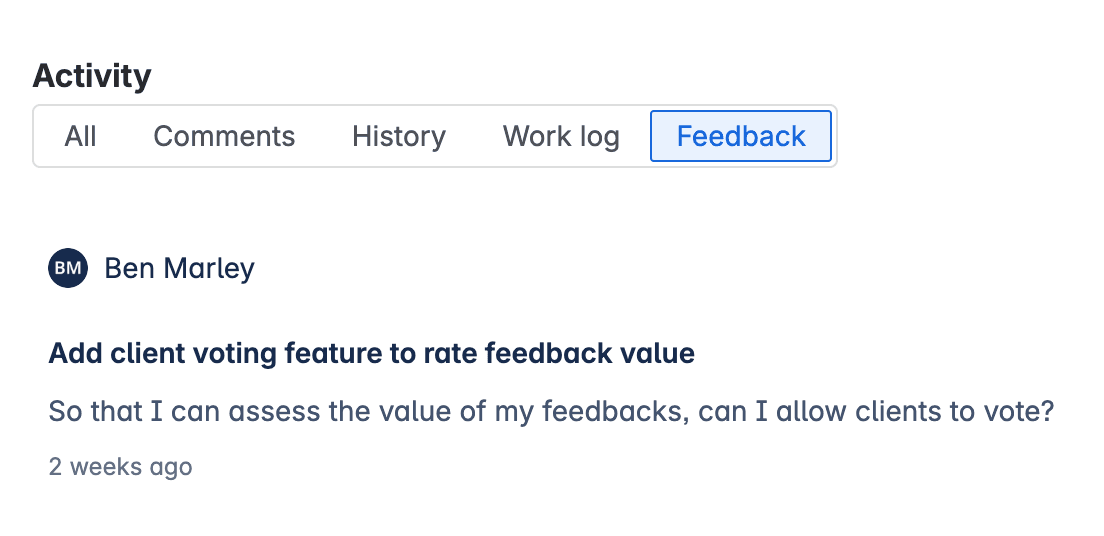
View related feedback in a dedicated feedback panel that gives everyone working on the item full customer context.
Jira Product Discovery projects

Customer feedback automatically generates new Insights in Jira Product Discovery, so you don’t have to manage them manually.